
Table of Contents
- Refurbished vs. Used vs. New: What You're Actually Buying
- Refurbished Phone Grading Explained: Cosmetic Condition vs. Performance
- How to Check Refurbished Phone Battery Health Before and After Purchase
- Refurbished Phone Warranty Coverage: What Real Protection Looks Like
- Risks of Buying Refurbished Phones Online: Counterfeits, Malware, and Activation Locks
- Your Post-Purchase Checklist: Inspecting a Refurbished Phone on Arrival
- Why Refurbished Phones Are a Smart Choice: Cost, Sustainability, and Resale Value
- Frequently Asked Questions
Last Updated: September 26, 2026
Refurbished vs. Used vs. New: What You're Actually Buying
Refurbished phones are pre-owned devices that a technician has inspected, tested, repaired where needed, and verified before resale. That verification separates refurbished from used: a used phone is sold as-is, while a refurbished phone carries a documented inspection and, ideally, a warranty.
"Safe" depends on which category you buy into. New devices come sealed with full coverage; used devices come with whatever the seller offers. Refurbished sits between them, and the quality gap within that middle category is enormous.
At Smartcare Marketplace, refurbished is a three-step process, not a label: full inspection, test and repair, then quality control before shipping.
Here's the practical breakdown:
| Category | Condition | Typically Includes | Risk Level |
|---|---|---|---|
| New | Sealed, unused | Full manufacturer warranty | Lowest |
| Refurbished | Inspected, tested, repaired | Seller warranty, return window | Low to moderate |
| Used | As-is | Often nothing | Highest |
Is it safe to buy refurbished phones online? Yes, if the seller documents the inspection process, offers a return window, and guarantees battery and activation status. Otherwise, you're buying used with better marketing.
Refurbished Phone Grading Explained: Cosmetic Condition vs. Performance
Refurbished phone grading explained comes down to one rule: grades describe how a device looks, not how it works. A "Grade C" phone with scratches can run identically to a "Grade A" unit, confusing the two is the most common buyer mistake.
Most sellers use a letter system:
- Grade A: Minimal to no visible wear. Screen and body look close to new.
- Grade B: Light scratches or scuffs, usually invisible once a case is on.
- Grade C: Noticeable cosmetic wear. Fully functional, cosmetically rough.
A phone graded on cosmetics alone tells you nothing about the battery, camera, or whether the IMEI is clean. Those performance questions need separate answers.
How to Check Refurbished Phone Battery Health Before and After Purchase
Battery health is the most important spec on a refurbished phone, and the one sellers leave vaguest. Lithium-ion batteries degrade with every charge cycle, so a three-year-old device holds less charge than a new one regardless of care.
On an iPhone, go to Settings, then Battery, then Battery Health & Charging. Look for Maximum Capacity. On Android, the path varies by manufacturer, but diagnostic menus and third-party apps can surface similar data.
Before you buy, ask the seller directly:
- What is the reported maximum battery capacity?
- Was the battery replaced during refurbishment, or is it original?
- What happens if capacity drops below an acceptable threshold within the warranty period?
After the device arrives, run the same check and compare it against what was advertised.
Apple iPhone 11 - Fully Unlocked →
Refurbished Phone Warranty Coverage: What Real Protection Looks Like
Refurbished phone warranty coverage varies wildly, and the terms matter more than the length. A 12-month warranty excluding the battery and screen protects almost nothing you care about.
Real protection includes four things:
- A stated warranty period long enough to catch early failures, typically 90 days to one year.
- A return window separate from the warranty, usually 30 days, so you can inspect and reject the device.
- Coverage of functional defects, not just total hardware failure.
- Clear process for claims, including who pays return shipping.
Risks of Buying Refurbished Phones Online: Counterfeits, Malware, and Activation Locks
The real risks in refurbished tech aren't cosmetic. They're counterfeit parts, pre-installed malware, and activation or carrier locks that make a device unusable, each with a specific check that neutralizes it.
- Get the IMEI in writing. Ask the seller for the 15-digit IMEI (dial *#06# on the device, or find it in Settings > General > About on iPhone). The IMEI on the listing, the box, and the device must all match.
- Run the IMEI through a free checker. Carrier IMEI checkers and third-party services like the CTIA-backed check tools will tell you whether the device is reported lost or stolen and whether it's still financed.
- Confirm carrier status. Ask the seller to state in writing whether the phone is carrier unlocked or locked to a specific network. "Fully unlocked" should mean it accepts any carrier's SIM.
- Verify after arrival. Insert your own SIM or eSIM and confirm the phone activates on your network before the return window closes.
Your Post-Purchase Checklist: Inspecting a Refurbished Phone on Arrival
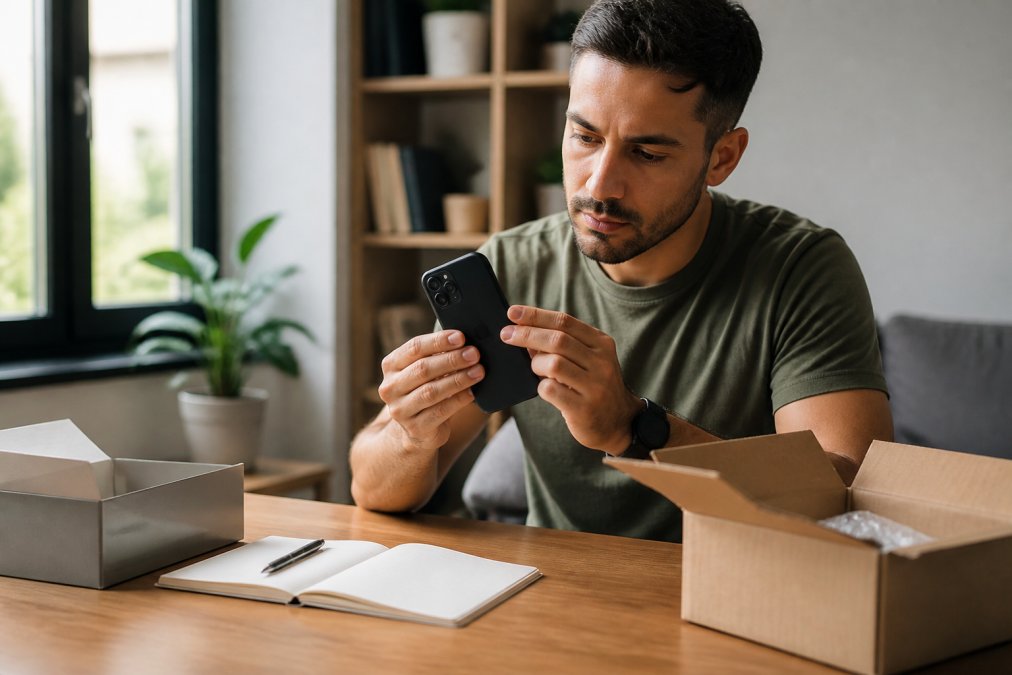
Step 1: Document before you open.

- Photograph the packaging, shipping label, and device before opening anything
- Confirm the IMEI on the device matches the listing and the box (dial *#06#)
- Sign in with your own Apple ID or Google account to confirm no activation lock is present
- Run a factory reset to clear any residual data or software
Step 2: Verify battery health against the advertised figure.
- Screen and touch: Use a dead-pixel test page (search "dead pixel test") to check for stuck pixels, and drag an icon across every edge of the screen to confirm the digitizer registers touch everywhere.
- Sensors: On iPhone, the built-in Diagnostics mode (accessed by holding Volume Up + Volume Down while the phone boots, on supported models) tests display, camera, and audio. On Android, apps like Sensor Box or Phone Check surface accelerometer, gyroscope, proximity, and light sensor readings.
- Camera: Open the camera app and test every lens, wide, ultra-wide, telephoto, and front-facing. Look for blur, spots, or autofocus hunting.
- Microphone and speakers: Record a voice memo and play it back. Make a phone call and confirm the other party hears you clearly on both the earpiece and speakerphone.
- Charging port and wireless charging: Plug in a known-good cable and confirm the phone charges at a normal rate. If the model supports wireless charging, test that too.
- Buttons and biometrics: Test power, volume, mute switch (iPhone), and Face ID or fingerprint unlock.
- Connectivity: Connect to Wi-Fi, pair a Bluetooth device, and insert your SIM or activate your eSIM to confirm cellular works.
Step 4: Confirm software and security status.
- Check for OS updates and install them, an out-of-date OS can be a sign the device sat unused for a long time
- Confirm the phone is carrier unlocked if that was advertised (insert a SIM from a different carrier)
- Check the manufacturer's software support page to confirm how many more years of security updates the model will receive
Step 5: Record and act.
- Write down any defect with photos and a description
- Contact the seller the same day and open a return if anything fails
Why Refurbished Phones Are a Smart Choice: Cost, Sustainability, and Resale Value
Refurbished phones cost less than new ones, keep working devices out of landfills, and hold resale value surprisingly well. Those three factors are why the category keeps growing even among buyers who can afford new.
Frequently Asked Questions
What are the risks of buying a refurbished phone online?
The main risks are receiving a device with undisclosed damage, poor battery health, or an active activation lock. Counterfeit parts and malware are less common from reputable sellers but possible from unknown sources. To reduce risk, buy from sellers that provide IMEI verification, clear grading, and a return policy. For example, Smartcare Marketplace offers a 30-day return policy and a 3-step refurbishing process that includes full inspection, testing, and quality control.
How can I tell if a refurbished phone seller is legitimate?
Check for a physical address, a working customer service number, and clear warranty terms. Look for a detailed grading system and a return policy that covers defects. Legitimate sellers also provide the device's IMEI so you can verify it's not reported lost or stolen. Avoid sellers who only accept wire transfers or cryptocurrency, and be wary of prices that seem too low. Reading independent reviews and checking the seller's history on platforms like Trustpilot or the Better Business Bureau can also help.
What should I check immediately after receiving a refurbished phone?
First, verify the IMEI matches the listing and isn't blacklisted. Then check the battery health in settings (for iPhone, go to Settings > Battery > Battery Health; for Android, use a diagnostic app). Test the screen for dead pixels, the cameras, speakers, and charging port. Ensure the device is fully unlocked and can make calls with your SIM. Run a factory reset to remove any previous user data. If anything fails, contact the seller within the return window. Smartcare Marketplace offers a 30-day return policy for such issues.
How does the battery health of a refurbished phone compare to a new one?
A new phone typically has 100% battery health. Refurbished phones vary: reputable sellers often replace batteries or guarantee a minimum health percentage (commonly 80% or higher). For example, the iPhone 11 (Refurbished) from Smartcare Marketplace has a Li-Ion 3110 mAh battery and undergoes testing to ensure it meets performance standards. If battery health is below 80%, you may need to replace it sooner. Always check the seller's battery policy before buying.