
Table of Contents
- What Makes a Smart Home Gadget Apartment-Friendly?
- Quick Comparison: Prices and What Each Gadget Does
- Best Smart Home Devices for Apartments Under $150
- Smart Home Devices for Renters: No Drilling, No Landlord Calls
- Smart Plugs for Small Apartments: Why They Stretch Every Dollar
- Budget Smart Lighting That Doesn't Need a Hub
- Privacy, Wi-Fi Load, and Ecosystem Lock-In in Small Spaces
- Conclusion
- Frequently Asked Questions
Last Updated: October 15, 2026
What Makes a Smart Home Gadget Apartment-Friendly?
The best affordable smart home gadgets for small apartments share five traits: no drilling, existing Wi-Fi, app or voice control, a tight footprint, and a low enough price to add one at a time.
Renters face a specific problem: a wired doorbell or ceiling-mounted camera might suit a house but can cost you a security deposit. The gadgets below avoid that trade-off.
Five Criteria to Judge Before You Buy
- Installation: Does it need screws, a drill, or an electrician? Skip anything that does.
- Connectivity: Does it join your existing Wi-Fi, or does it demand a separate hub you have to buy?
- Control: Is there a phone app and voice-assistant support, or just a physical switch?
Quick Comparison: Prices and What Each Gadget Does
| Gadget | Price | Best For | Standout Feature |
|---|---|---|---|
| AI Indoor Cam | $129.99 | Indoor monitoring | AI motion detection, app control |
| AI Battery Cam | $149.99 | Wire-free placement | Rechargeable, weather-resistant |
| Robot Vacuum Cleaner | $148.99 | Small hard floors | 6.8cm body, under 55dB |
| BioSecure Smart Lock | $49.88 | Keyless entry | Fingerprint unlock in about 1 second |
| Bluetooth Speaker with Clock | $81.37 | Bedside charging | 15W wireless charging, alarm, FM radio |
Best Smart Home Devices for Apartments Under $150
The sweet spot for apartment gadgets sits under $150, where you get real capability without permanent installation. Three picks cover security and cleaning.

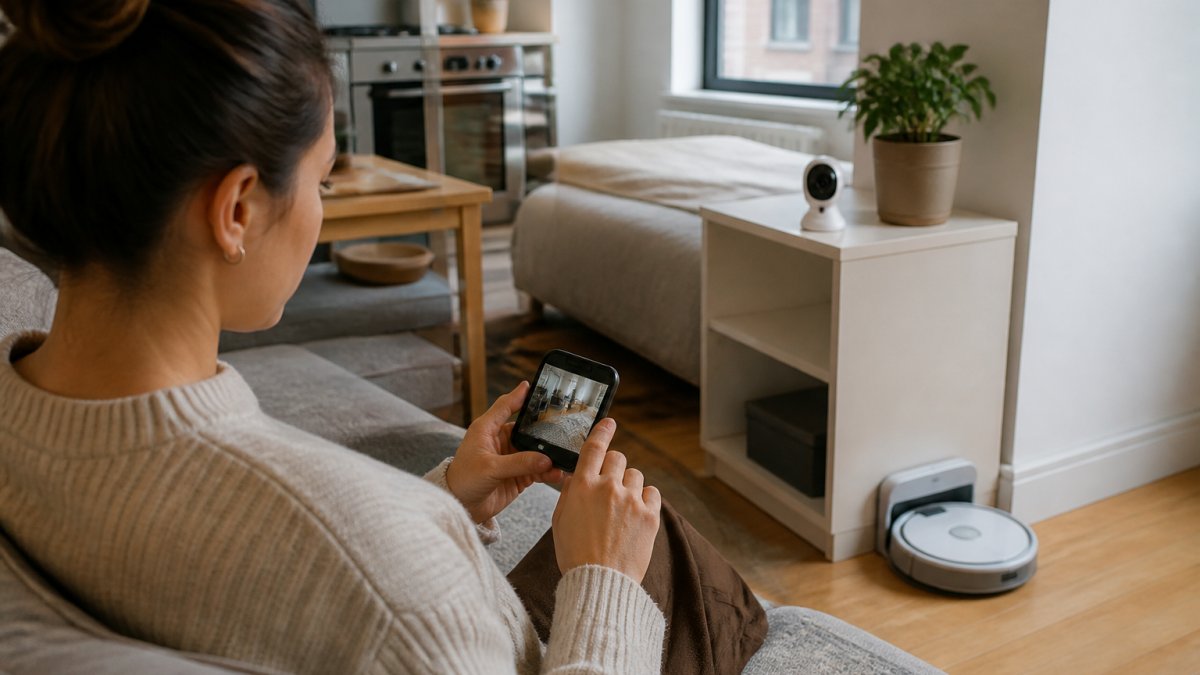
AI Indoor Cam ($129.99)
The AI Indoor Cam is our pick for checking on a pet, a package, or an empty apartment from your phone. It runs on secure Wi-Fi with multi-device support, so you and a roommate can both watch the feed, with no hidden subscription fees for the basics.
What works: AI-powered motion detection sends real-time alerts, and night vision keeps it useful after dark. Setup is plug-and-play.
Where it falls short: It needs an outlet, so plan its spot near one.
AI Battery Cam ($149.99)
If you have nowhere to plug in, the AI Battery Cam solves it. It is 100% wire-free and battery-powered, so you can place it on a shelf, windowsill, or balcony rail without a cable.
The weather-resistant design handles indoor and outdoor use, and two-way audio lets you talk to a delivery driver or a pet. Like the Indoor Cam, it carries no hidden subscription fees.
Robot Vacuum Cleaner ($148.99)
Small apartments collect dust fast, and a full-size vacuum is a pain to store. This robot vacuum has a 6.8cm body that glides under furniture, runs about 60 minutes per charge, and cleans up to 150 square meters of hard flooring.
It is quiet at under 55 decibels, so you can run it while you work, and the 600ML dust box means fewer trips to the trash. For a studio or one-bedroom, it saves the most time.
Smart Home Devices for Renters: No Drilling, No Landlord Calls
The best smart home devices for renters install with a screwdriver at most, often with nothing at all. That constraint filters out half the market and leaves the gadgets that suit a lease.
BioSecure Smart Lock ($49.88)
The BioSecure Smart Lock is the cheapest way to add keyless entry to an apartment.
Unlocking takes about one second by fingerprint, and it stores up to 20 prints, enough for a household plus a trusted neighbor. You also get app control through a Tuya-compatible app, plus emergency backup keys.
One honest limitation: remote Wi-Fi access needs an optional gateway, sold separately. Bluetooth control works without it.
Smart Plugs for Small Apartments: Why They Stretch Every Dollar
Smart plugs are the highest-value gadget on this list because they cost the least and change the most. A single plug turns a lamp, box fan, coffee maker, or window AC unit into something you can schedule, group, and control from your phone, you add control to the appliance you already own.
In a small apartment, that matters more than in a house: fewer outlets, fewer circuits, less room for a hub. A plug that joins your existing Wi-Fi and needs nothing else is the whole point.
What to Look For in an Apartment Smart Plug
- Wi-Fi, not hub-based. A plug that runs on 2.4 GHz Wi-Fi connects straight to your router. Skip anything that requires a proprietary bridge.
- Energy monitoring. Plugs that report wattage and kilowatt-hours (kWh) let you see what a space heater or an old mini-fridge actually costs you per month.
- Physical button. A manual override on the plug itself matters when your phone is dead or your Wi-Fi drops.
Five Routines That Actually Fit a Small Floor Plan
Generic 'automate your home' advice does not help at 500 square feet. These routines earn their place:
- Away mode for a single lamp. Schedule a living-room lamp to turn on at sunset and off at 11 p.m. so the apartment does not look empty when you travel.
- Fan cutoff at night. Put a box fan or tower fan on a plug that shuts off after 90 minutes, so you are not running it until morning.
- Standby kill on the TV. A plug on the entertainment center cuts phantom draw from a TV, a console, and a soundbar in one tap when you leave.
- Coffee maker on a morning timer. Start the drip machine 10 minutes before your alarm. It is the cheapest 'smart kitchen' upgrade you can make.
- Window AC on a schedule. If you use a portable or window unit, a plug with energy monitoring lets you cap runtime and see the cost.
The Wi-Fi Load Problem Nobody Warns You About
Every plug is another device on your network. Most routers handle 20 to 30 devices on a single band, but a small apartment often has one router in one corner, and the 2.4 GHz band is shared with neighbors. A dozen cheap plugs plus a camera, lock, and vacuum can crowd that band and show up as lag on video calls.
A few practical rules:
- Keep the plug count reasonable. Six to eight is plenty for most studios and one-bedrooms.
- Put bandwidth-heavy devices (streaming, gaming) on the 5 GHz band and leave plugs on 2.4 GHz.
- If you are already seeing dropouts, a mesh router or a router rated for more simultaneous devices solves it faster than removing plugs.
Budget Smart Lighting That Doesn't Need a Hub
Budget smart lighting has moved past the hub era. Most current bulbs connect straight to Wi-Fi and control from an app or voice assistant, so you skip the extra box.
For a small apartment, start with two or three bulbs rather than a whole-home kit, focused on the rooms you use most: living area and bedroom.
A few practical notes:
- Check the bulb base and shape before buying. Apartments often use smaller fixtures.
- Motion-sensing bulbs work well in hallways and closets where your hands are full.
- Pair lighting with your smart plugs in the same app so one routine controls both.
Keep your lights on the same platform as your other gadgets. Mixing three ecosystems in a 500-square-foot apartment creates more apps than convenience.
Privacy, Wi-Fi Load, and Ecosystem Lock-In in Small Spaces
Most smart home guides treat privacy as a footnote. In a small apartment, it is the main event. A camera in a studio sees your whole life, a smart lock controls the only door you have, and a microphone hears every conversation. Because you rent, you also have a landlord, a maintenance person, and neighbors on the other side of a shared wall.

Privacy Rules That Actually Fit a Rental
- Change default passwords on day one. Every camera, lock, and plug ships with a default credential. If you do not change it, someone else can.
- Turn on two-factor authentication wherever the app offers it. Device encryption is only as strong as the account behind it.
- Keep firmware current. Updates patch the flaws attackers actually use. Turn on auto-update if the app allows it.
The Rental-Specific Privacy Problem
First, shared walls and shared Wi-Fi. In a dense building, your 2.4 GHz band is crowded with neighbors' networks, and a poorly secured device is a target for anyone in range.
Second, landlord and maintenance access. If your lease allows the landlord to enter with notice, a camera that records continuously will capture that visit. That is legal in most cases, but worth knowing before you review the footage.
Ecosystem Lock-In: How to Avoid Buying Three Hubs
The biggest mistake renters make is buying three brands and ending up with three apps, three accounts, and three sets of routines that do not talk to each other. In a 500-square-foot apartment, that is more friction than convenience.
A few ways to avoid it:
- Pick one voice assistant and stick with it. If you use an Amazon Echo, buy devices that work with Alexa. If you use a Google Nest speaker, buy devices that work with Google Assistant. Apple HomeKit is the most restrictive but the most privacy-forward.
- Check for Matter support. Matter is the cross-brand standard that lets devices from different manufacturers work together without a proprietary hub (Build With Matter). A device labeled 'Matter' will work with Alexa, Google, and Apple home apps.
- Prefer devices that work without a hub. Wi-Fi cameras, plugs, and bulbs connect straight to your router. A hub is one more box, one more app, and one more thing to lose in a move.
Conclusion
Fitting a smart apartment into a tight budget and tighter lease is a real constraint, but it is solvable. Start with one gadget that removes a daily chore, add security second, and expand only as your Wi-Fi and wallet allow.
Smartcare Marketplace curates consumer electronics and home goods built for exactly this kind of space, with design-forward pieces and reliable technology at competitive prices.
Frequently Asked Questions
What are some good smart devices for apartments?
Start with gear that installs without tools and moves with you. A compact robot vacuum like the Robot Vacuum Cleaner ($148.99) handles hard floors in tight layouts and glides under furniture. A wire-free camera such as the AI Battery Cam ($149.99) goes on a shelf or wall without an outlet nearby. For entryways, the BioSecure Smart Lock ($49.88) replaces the existing knob and stores up to 20 fingerprints. Add smart plugs and budget smart lighting to automate lamps you already own.
Can I set up smart home gadgets in a rental apartment without drilling?
Yes, most of the setup can avoid drilling entirely. Battery cameras, plug-in lamps, smart plugs, and speaker units sit on shelves or plug into existing outlets. The BioSecure Smart Lock installs with a screwdriver on standard doors, so you swap the existing knob rather than cut new holes. Keep the original hardware in a labeled bag so you can restore the unit before move-out and protect your security deposit.
Do smart home gadgets work without a hub?
Many do. Cameras like the AI Indoor Cam ($129.99), AI 2K PTZ Cam ($149.99), and AI Battery Cam ($149.99) connect straight to Wi-Fi and stream to a phone app, with no hub and no hidden subscription fees. The BioSecure Smart Lock works over Bluetooth for app control and fingerprint management; Wi-Fi remote access needs an optional gateway sold separately. If you want fewer apps, pick devices that share one ecosystem and check multi-platform compatibility before checkout.
Which smart home devices are most useful in a small apartment?
Prioritize devices that solve a space or security problem you actually have. A robot vacuum keeps a small floor plan clean without a closet full of equipment, and its 600 ml dust box and 1500 Pa suction cover daily crumbs and pet hair. One indoor camera covers a studio or one-bedroom because wide-angle motion tracking replaces multiple units. A smart lock removes key handoffs for roommates and dog walkers. Skip anything that duplicates a job you already handle well.
How can I make smart home devices fit a small space?
Mount up and keep wiring short. Wall-mount or recess the Smart WiFi Electric Fireplace ($647.99) to free floor space while warming rooms up to 400 sq ft, and it runs on 750 W or 1500 W with a 1 to 12 hour timer. Cameras go on shelves or ceilings to avoid clutter. Use a compact Bluetooth speaker with clock and 15 W wireless charging to replace three countertop items. Group devices into automated routines so one voice command or schedule runs several gadgets at once.