
Table of Contents
- Building a Student Home Office on a Real Budget
- Quick Comparison: Affordable Home Office Electronics for Students
- The Best Computer for College Students: Laptops That Last
- Home Office Accessories Under $50 That Earn Their Spot
- Budget Student Desk Setup: Power, Lighting, and Cable Control
- Student Discounts on Electronics: How to Pay Less Without Waiting for a Sale
- Dorm Constraints, Portability, and Long-Term Value
- Conclusion: Build the Setup, Not the Wishlist
- Frequently Asked Questions
Last Updated: October 9, 2026
Building a Student Home Office on a Real Budget
Affordable home office electronics for students come down to three purchases: a laptop that lasts four years, a keyboard and mouse you can type on for hours, and a surge protector that keeps it all alive. Everything else is optional.

The cheapest setup is rarely the least expensive one. A $300 laptop that dies in year two costs more than a $700 machine that finishes the degree, and the same logic applies to a $12 power strip that lets a thunderstorm fry your only computer.
Quick Comparison: Affordable Home Office Electronics for Students
| Item | Price | Best For |
|---|---|---|
| Lenovo Flex 5i 15.6" Touch Laptop | $840.54 | Windows majors, note-taking, 2-in-1 use |
| Apple MacBook Air M2 13.6" (Refurbished) | $1,455.98 | Long battery life, all-day campus carry |
| Apple MacBook Pro 13" M2 (Refurbished) | $1,638.38 | Design, video, and heavy creative work |
| Wireless Keyboard & Mouse Combo | $49.95 | Silent typing in shared dorm rooms |
| Logitech K120 Wired Keyboard | $41.66 | Cheapest reliable typing upgrade |
| 11-in-1 Power Strip with Lamp and Clock | $39.00 | One-plug dorm desks |
| CRST 10-Outlet Surge Protector (2800J) | $28.99 | Protecting a full desk of devices |
| CRST 8-Outlet Surge Protector (1200J) | $34.99 | Per-device switch control |
| Apple Magic Mouse | $119.98 | Mac users who want a rechargeable mouse |
Notice what is missing: a monitor, a printer, and a desk chair. None belong in a first-semester budget. Buy the core four first.

The Best Computer for College Students: Laptops That Last
The best computer for college students still runs current software in your senior year, a spec question, not a brand question.
Our pick for most students is the Lenovo Flex 5i 15.6" at $840.54, which covers the widest range of majors.
If your budget stretches further, our refurbished Apple MacBook Air M2 13.6" at $1,455.98 is the better daily carry.
Windows or MacBook: Which Fits Your Major?
Pick Windows if your program requires specific software; pick Mac for the longest battery life and simplest ecosystem. Engineering, accounting, and most business programs lean on Windows-only applications, and the Lenovo Flex 5i runs Windows 11 Home natively. Design, film, music, and liberal arts programs overwhelmingly run on Mac, and the two refurbished MacBooks sync cleanly with an iPhone or iPad you may already own.
Home Office Accessories Under $50 That Earn Their Spot
Home office accessories under $50 are where student setups are won or lost, because cheap gear quietly fails here. A keyboard that drops keystrokes during an exam is not a bargain.
The Wireless Keyboard & Mouse Combo at $49.95 is our top pick for shared living.
For the cheapest reliable option, the Logitech K120 at $41.66 refuses to die: a 1.5-meter USB cable, a waterproof body, and no batteries. The tradeoff is no wireless freedom and no mouse.

Budget Student Desk Setup: Power, Lighting, and Cable Control
A budget student desk setup fails the same way every time: not enough outlets, bad light, and a cable nest. Fix all three for under $80.
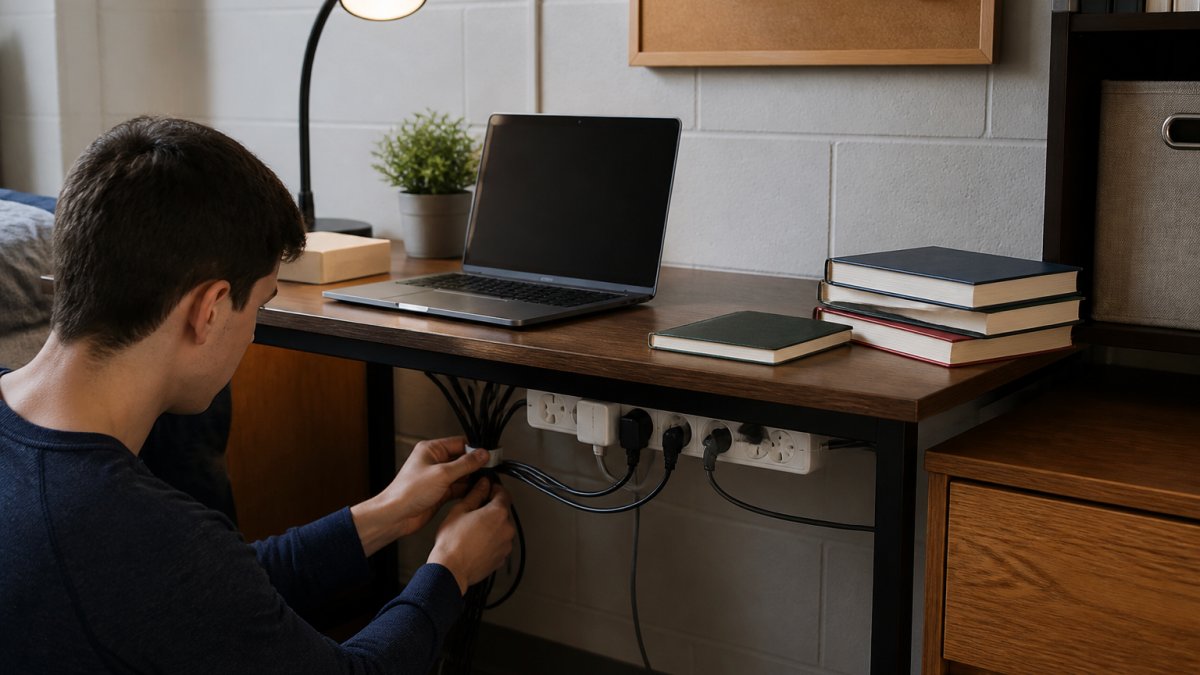
The 11-in-1 Multifunctional Power Strip at $39.00 solves two problems in one unit: 4 AC outlets and 5 USB ports (3 USB-A, 2 USB-C), plus a built-in desk lamp and digital clock.
If you would rather keep lighting separate, the CRST 8-Outlet Surge Protector at $34.99 gives you 8 outlets with individual switches and a main switch, so you can kill standby power without unplugging anything.
Why Surge Protection Matters in a Dorm
Dorm power is shared power, and shared power means surges. Old wiring, overloaded circuits, and appliances cycling on the same line send spikes down the wire, and one spike can kill a laptop's charging board in a second.
A surge protector absorbs that energy before it reaches your devices. For a smaller desk or second location, the CRST 2PK 6-Outlet Surge Protector at $39.99 gives you two units rated at 2100 joules each, with outlets spaced 1.7 inches apart and a 45-degree flat plug that sits flush against a wall.
| Protector | Joules | Outlets | Price |
|---|---|---|---|
| CRST 10-Outlet | 2800J | 10 | $28.99 |
| CRST 2PK 6-Outlet | 2100J each | 6 each | $39.99 |
| CRST 8-Outlet | 1200J | 8 | $34.99 |
| 11-in-1 Multifunction | Surge protected | 4 AC + 5 USB | $39.00 |
Student Discounts on Electronics: How to Pay Less Without Waiting for a Sale
Student discounts on electronics are the most underused tool in a college budget.
Lever one: your school's own portal. Start with your school's IT or bookstore page.
Lever two: student verification services. Retailers and software vendors commonly outsource student-status checks to third-party services.
Logitech K120 wired keyboard notebook desktop computer office home USB office →
Lever three: manufacturer education stores. Most major laptop and tablet manufacturers run a dedicated education storefront.
Lever four: certified refurbished stock. This is the lever we know best.
What does not stack. Two education discounts on the same item usually do not combine, a manufacturer education price and a retailer student discount typically resolve to whichever is lower, not both. Refurbished and education pricing sometimes stack, depending on the vendor. Ask before you assume, and screenshot the final cart price in case the discount disappears at checkout.
Dorm Constraints, Portability, and Long-Term Value
Dorm rooms impose limits no product page mentions: limited outlet count, shared walls, a desk the size of a door, and residence-hall rules restricting what you can plug in. Plan around those constraints and your setup survives all four years; ignore them and you replace gear every semester.
The outlet math
A typical residence-hall room has two to four usable wall outlets, and at least one is behind a bed or dresser. Count your devices: laptop charger, phone charger, desk lamp, monitor, printer, anything with a motor, easily six to eight plugs competing for two to four outlets. That is why a high-outlet surge protector is not a luxury but the difference between a working desk and a daily unplugging ritual.
Residence-hall rules to check before you buy
Most residence halls restrict certain appliances, and the list varies by building. Common restrictions include space heaters, halogen lamps, and any device drawing high wattage on a single circuit. Before buying a desk lamp or powered accessory, check your housing agreement or residence-life page for the prohibited-items list. A surge protector with a built-in circuit breaker is generally fine, but a high-draw appliance on the same strip can trip the breaker and take your laptop down with it, keep high-draw devices on a separate circuit whenever the room allows.
Portability: the daily-carry calculation
If you carry a laptop to class, the library, and back, weight compounds daily. A 3.97-pound laptop does not sound heavy until you walk a mile with it four times a day. The MacBook Air M2 at 0.44 inches thick and 2.7 pounds is built for that routine; the Lenovo Flex 5i stays on the desk more often and gives you a larger 15.6-inch screen in exchange for the extra weight.
Noise in a shared room
Roommates sleep, and a loud mechanical keyboard at 1 a.m. is a real problem, the silent-click combo exists for exactly this reason. If you share a room, prioritize peripherals with silent switches and avoid anything with a continuously running fan. A laptop that throttles under load spins its fans louder, another argument for buying enough RAM and storage up front rather than the cheapest configuration.
Long-term value: the cost-of-ownership math
Purchase price is the smallest part of what a device costs over four years. The real number is purchase price plus replacement cost plus the accessories the device forces you to buy. A few patterns:
- Batteries. A wired keyboard at $41.66 has no battery to degrade, and a rechargeable mouse eliminates disposable battery costs. A wireless keyboard running on AA batteries costs a steady trickle of replacements over four years, invisible at purchase.
- Protection. A surge protector at $28.99 protects a laptop worth several hundred dollars, the highest return on any purchase in this guide. A single surge that kills a laptop's charging board can cost more to repair than the protector cost to buy.
- Repairability. Some laptops have soldered RAM and storage, so you cannot upgrade later; others have accessible slots. Buy 8GB of soldered RAM and you commit to 8GB for the life of the device. Check whether the model allows a later RAM or storage upgrade before buying the base configuration.
- Warranty and lifespan. A certified refurbished unit with a one-year warranty is close to new-unit coverage; a 90-day warranty is a bet that nothing fails in month four. Read the term and weigh it against the price difference.
- Energy use. A laptop that draws less power costs less to run and generates less heat in a small room, a comfort problem as much as a cost problem in a shared room with no air conditioning.
The four-year test
Ask one question about every purchase: will this still work in my senior year? A surge protector, a wired keyboard, and a well-specced laptop pass. A $12 power strip, a battery-powered accessory with a proprietary charger, and a laptop with 4GB of RAM do not. The goal is the lowest total cost across the degree, not the lowest price at checkout.
Conclusion: Build the Setup, Not the Wishlist
The hardest part of a student setup is not finding gear, it is resisting the wishlist long enough to buy the four things that matter.
Smartcare Marketplace stocks each of these pieces, from refurbished Apple laptops to surge protectors and desk accessories, all curated for function over flash.
Continue shopping at Smartcare Marketplace and build a desk that lasts the whole degree.
Frequently Asked Questions
What are the best electronics for college students on a tight budget?
Start with the device you type on most. A refurbished laptop like the Apple MacBook Air M2 at $1,455.98 handles papers, video calls, and research without new-retail pricing. Then add a wireless keyboard and mouse combo at $49.95, a surge protector power strip for $28.99 to protect everything, and a multifunctional power strip with a built-in desk lamp for $39.00. These four items cover writing, charging, lighting, and protection for under $1,600 total.
What is the best affordable computer for college students?
It depends on your major and budget. The Lenovo Flex 5i at $840.54 gives you a 15.6-inch touchscreen, 8GB RAM, 512GB SSD, and a 2-in-1 hinge for note-taking, which suits most majors. If you prefer macOS or need longer battery life, the refurbished MacBook Air M2 at $1,455.98 runs silently. Both handle four years of coursework if you keep 20% of your storage free.
How can students set up a productive desk on a budget?
Prioritize power and lighting first. A 10-outlet surge protector at $28.99 or an 8-outlet strip with individual switches at $34.99 lets you cut standby power to monitors and chargers you are not using. Add the 11-in-1 power strip with a built-in desk lamp and clock at $39.00 so you are not buying three separate items. Mount everything under or behind the desk to keep the surface clear for writing.
Where can students find discounts on electronics?
Check three places before buying. First, manufacturer education stores, which often list current student pricing. Second, refurbished listings from reputable sellers, where a certified pre-owned MacBook Pro 13-inch M2 at $1,638.38 costs less than a new equivalent. Third, bundle deals, like the Lenovo Flex 5i that ships with a stylus pen at no extra cost. Always verify the warranty terms before checkout.
Do refurbished electronics last through college?
A refurbished device from a seller that tests and grades condition can last four years if you treat it well. The MacBook Air M2 and MacBook Pro 13-inch M2 both use SSDs. Check the warranty within the return window.